Table of contents
Open Table of contents
The shitmountain
Pareto applies to code. In every codebase I’ve worked in, maybe 20% of the code is load-bearing — the model, the state machine, the handful of functions everything else calls. The other 80% is garbage. Not offensive garbage. Code written under deadline, code copied from two other places, code that solves a problem nobody has anymore.
We pretend we’ll refactor it someday. But refactoring from inside the 80% is filling valleys and raising peaks inside the same shitmountain — complexity never goes down, it just gets redistributed. You cannot clean 80% of a codebase from inside. The structure you’re fixing is the structure that produces whatever you’ll have to fix next.
That’s the setup. The real question is what you do about the 80%.
Two regimes of 80%
The 80% splits into two kinds of problems, and they want different answers.
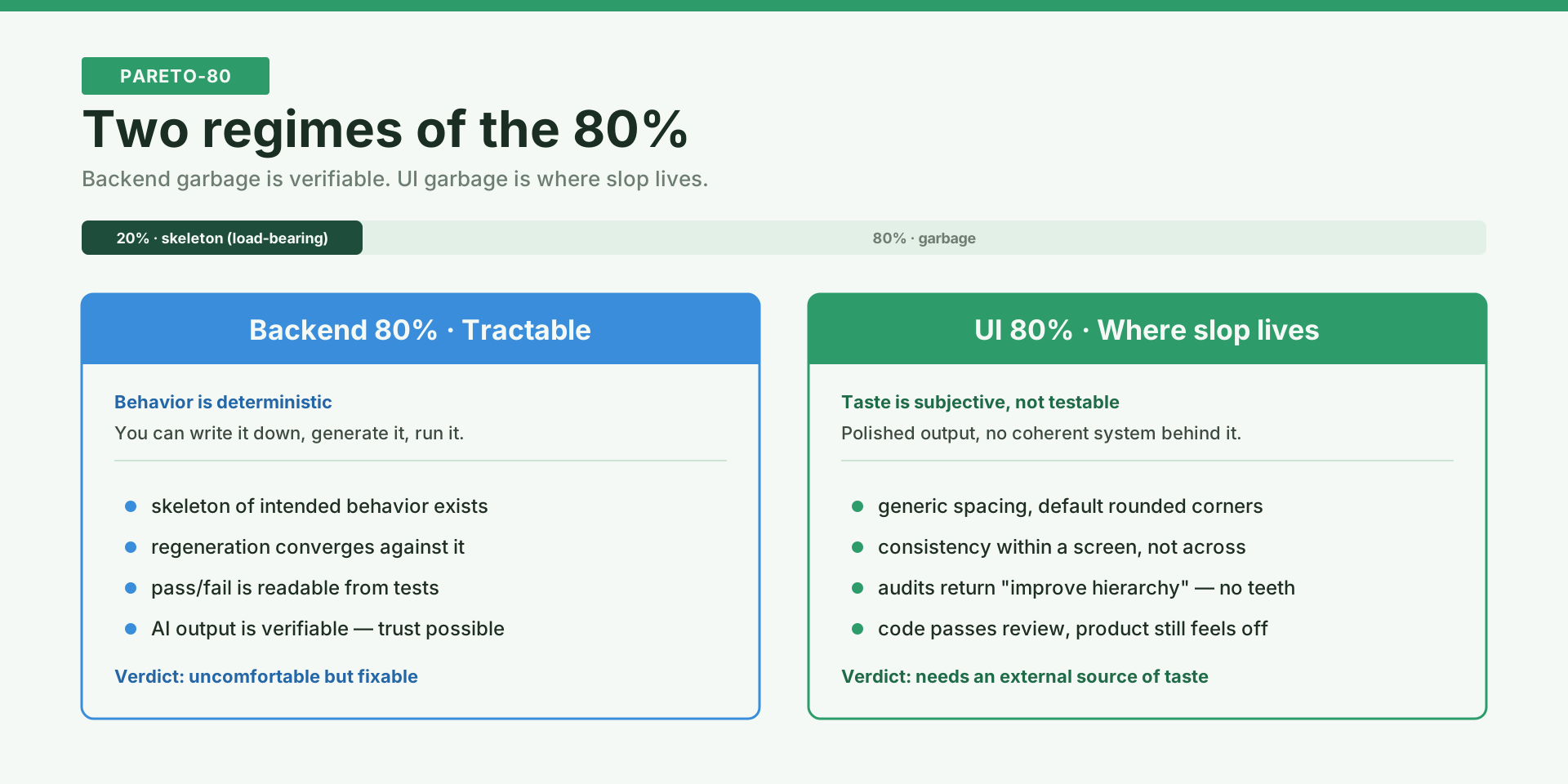
Backend logic is mostly deterministic. You can write down the intended behavior, generate an implementation, and check it by running the thing. When AI writes backend code, it’s verifiable — you know when it’s right and when it’s wrong. The 80% of backend garbage is uncomfortable but tractable: there’s a skeleton of behavior somewhere, and regeneration against it converges.
UI is different. UI requires taste, which is subjective, and there’s no test suite that tells you “this feels bland.” A regenerated backend function either passes or fails. A regenerated screen looks like every other SaaS dashboard shipped that year, and nothing in your pipeline notices.
This is where AI slop lives.
What AI slop looks like
AI slop in UI isn’t obviously wrong code. It’s polished-looking output with no coherent system behind it. Generic spacing. Default rounded corners. Consistency within one screen and nothing between screens. Audits that return “improve hierarchy” and “reduce clutter” — abstractions with no teeth. The code passes review. The product still feels off.
The failure isn’t the model. It’s the input. When you ask AI to audit your own UI in isolation, you’ve given it nothing external to measure against, so it falls back on generic quality heuristics. It can detect inconsistency inside one product. It cannot infer what the next system should be.
You need an external source of taste. And for UI, “external” means a product that already has taste — a competitor you wish your product looked like.
The move: record, don’t screenshot
The standard move is to screenshot competitors. That’s fine for visual language — typography, density, surface hierarchy. But it misses most of what makes a UI feel good, which is how things move. A sidebar feels expensive not because of the sidebar but because of the way it enters. A settings page feels calm not because of the layout but because of how one page transitions to the next.
Still images can’t carry that. You need recordings.
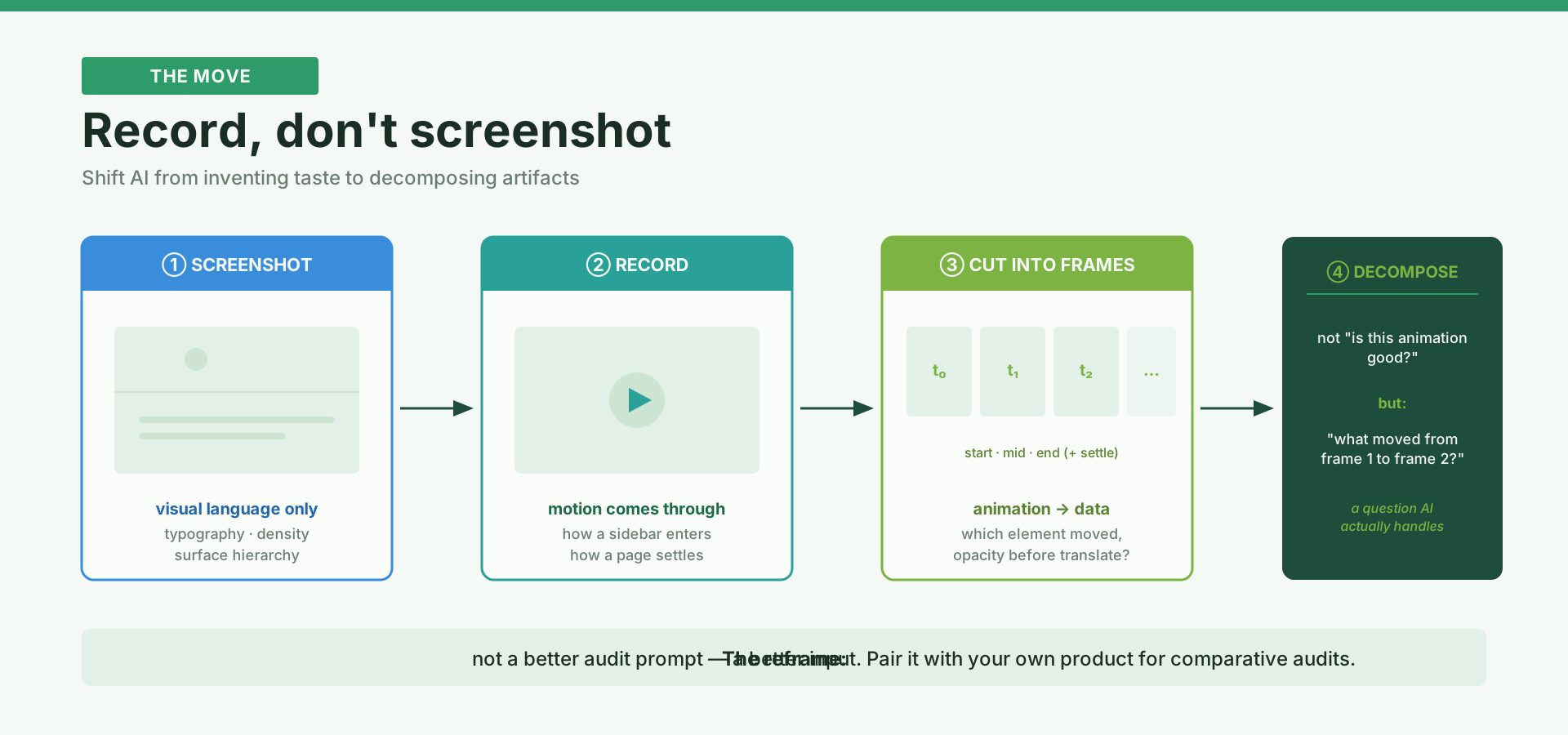
And recordings alone aren’t enough either — watching a video and describing what you feel produces the same vague audit as a static screenshot (“it feels smooth”). The unlock is to cut the recording into frames. Start, mid, end; sometimes a pre-start and a settle frame when there’s anticipation. Once you have frames, the animation stops being mystical. AI can compare frame 1 to frame 2 and tell you which elements moved, which stayed anchored, whether opacity changed before or after translation. That’s a concrete question AI handles. “Is this animation good?” is not.
The reframe: you’re shifting AI from inventing taste to decomposing artifacts. One is a problem AI is bad at. The other is a problem AI is actually good at.
That’s the move against UI slop. Not a better audit prompt. A better input.
One more move matters: run the same decomposition on both sides. Most people audit only their own product, which returns generic fixes. Run it on the reference too, and the audit becomes comparative. Not “improve hierarchy” but “why does their settings page feel calmer than ours?” That’s the question that actually produces refactor directions.
Patterns, not pages
The unit of refactor is not the page; it’s the repeated pattern. Study a competitor page by page and then refactor page by page and you’ll end up with one good-looking screen and no system. Capture by page, analyze by pattern, migrate by primitive. Sidebar items, section labels, toggle rows, selection cards — get those right and many screens improve at once.
Limits
The risk is obvious: overfit to a competitor and lose your own identity. A beautiful reference may also solve a simpler problem than yours. The goal isn’t imitation; it’s structured borrowing — hierarchy, pacing, grouping, restraint. You still have to adapt to your own density and users.
Where this goes
This is the first move I trust against UI slop, not the whole answer. A single recorded reference gets you one refactor. Maintaining the 80% over time — accumulating taste across projects instead of re-learning the same rules every quarter — that’s a different problem, and it’s where a more stateful system starts to matter. I’ll write about that part separately.